ADHD Planner
The ADHD planner made for your phone
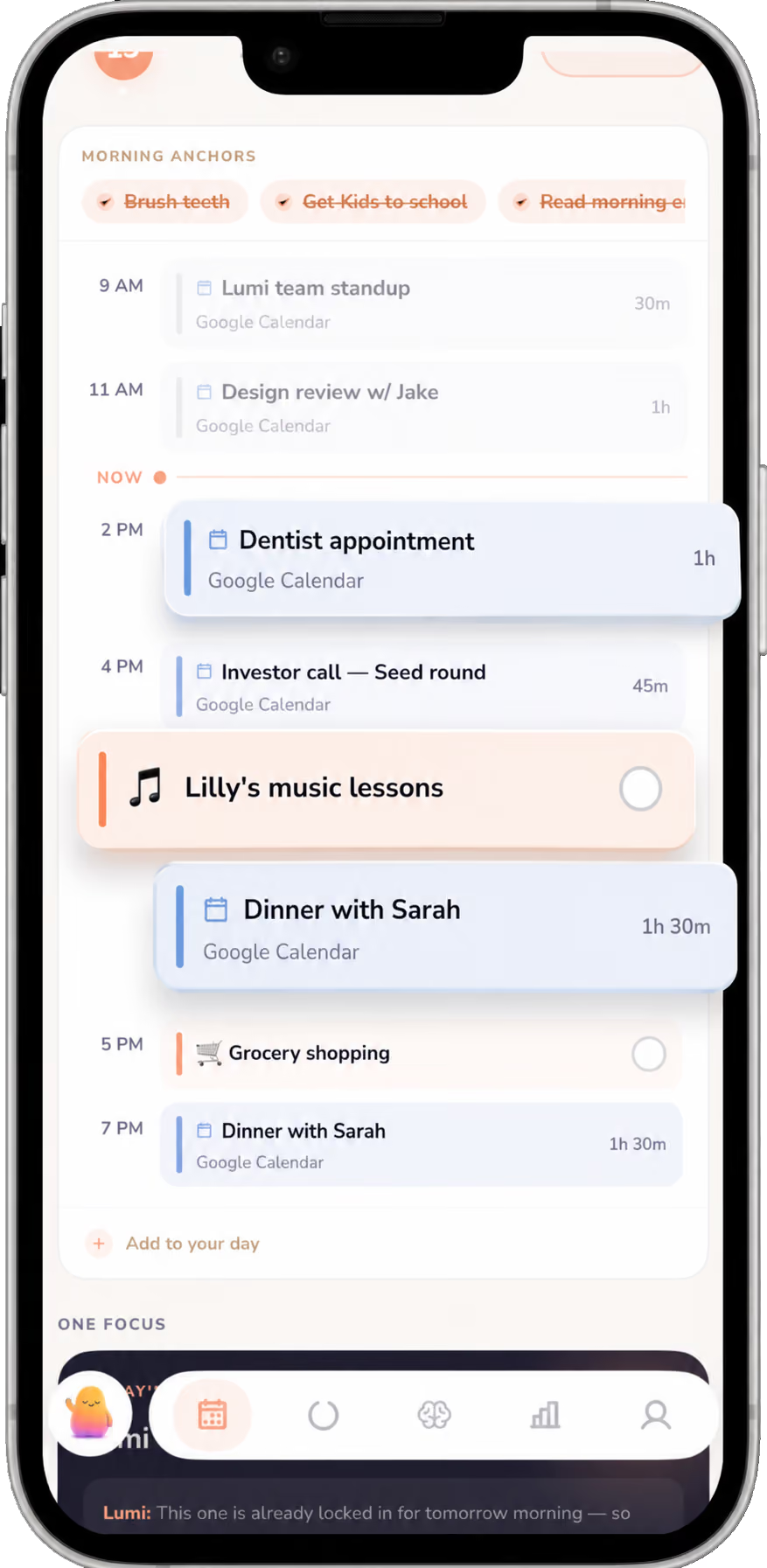
Most ADHD daily planners hand you a blank page and wish you luck. Lumi asks how you feel, picks your one thing, and shows where your time is. Planning your day in 30-seconds, and it actually sticks.

.svg)
Most ADHD daily planners hand you a blank page and wish you luck. Lumi asks how you feel, picks your one thing, and shows where your time is. Planning your day in 30-seconds, and it actually sticks.
An ADHD daily planner gets tasks out of your head and shows your day in one place. With Lumi, you add tasks by typing or talking, see them alongside your calendar and your free time, and get reminders before things happen, so nothing depends on you remembering to look.
Learn more about each one
A quick look at how Lumi’s planner works. If something’s missing, write to us and we’ll answer.

Yes. You can connect a Google, Aplpe or Microsoft (Outlook) calendar, and Lumi can read the calendar on your iPhone. Your meetings, or important events show up next to your tasks, so you see the whole day in one place.
Type it, say it out loud, or pull it in from your Brain Dump. As you type, Lumi suggests an emoji for the task, allowing you to visualize your planner in the way that works best for your brain, and you can change it to whatever you like.
Lumi reads your calendar. When you have an open stretch of an hour and a half or more, it shows how long that window is, so you can tell whether there’s room for the thing you’ve been putting off.
No. There are no streaks and no penalties. If you skip a day, a week, or a month, Lumi welcomes you back and picks up from today, with no catch-up.
A typical planner gives you a blank page or a long list and leaves the sorting to you. Lumi puts your tasks on the same view as your calendar and your free time, and sends reminders before things happen, so the plan reaches you instead of waiting for you to check it.
Lumi has a 7-day free trial, then plans start at $14 a month, billed monthly ($24 monthly for Core). It’s coming to iPhone first, with Android after. There is no web app.

ADHD tips, honest insights, and the occasional reminder that you're doing better than you think.
By signing up, you agree to receive emails from Lumi. You can unsubscribe at any time. No spam, we promise. View our privacy policy.